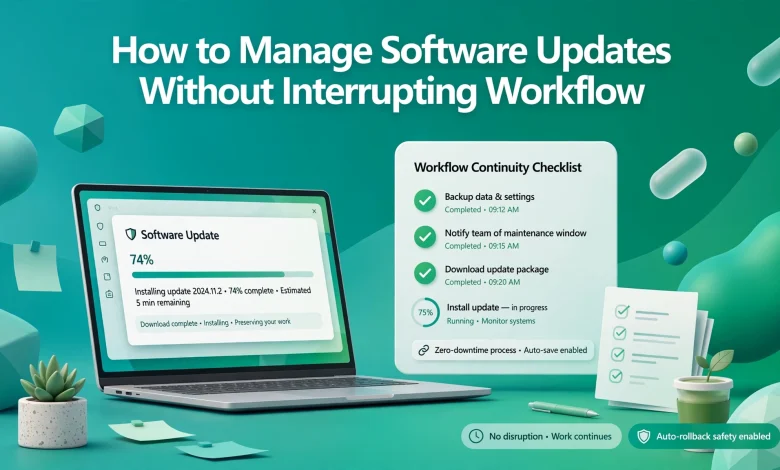
Software updates are crucial to the security, performance, and overall functioning of any program. However, they can also entail a number of problems to solve and require time to complete. For businesses and individuals, it is essential to develop ways to address program updates seamlessly and without inconveniences. The following recommendations will help any user manage software changes and maintenance effectively.
Know the Importance of Updates
Most programs allow the user to select or eliminate specific updates, which makes it possible to tailor the changes according to one’s priorities or requirements. Software producers release security updates and fixes frequently, which ensures the proper functioning of programs. Understanding the significance of these modifications is essential to ensuring that one’s computer or mobile phone is updated.
Schedule Ahead
In case of a possibility to schedule, it might be a good idea to make the necessary arrangements ahead of time to avoid inconveniences. For businesses, it is essential to ensure that the most substantial software maintenance is performed when it will cause the least disruption, such as during evenings or weekends. Moreover, the scheduling of updates will help both businesses and individuals to know what has been completed and what still requires attention.
Make Use of Automation
Many programs offer the possibility to automate updates and launch them immediately after they become available. This option is especially beneficial for businesses because it eliminates the possibility of human error and ensures that all programs are up to date. In addition, it is important to remember that the computer should not be turned off while performing critical tasks. Therefore, it might be a good idea to automate the process of launching the update and separating the update process itself from the reboot.
Focus on Significant Updates
It is important to remember that not all updates are equal. For businesses, it is essential to focus on security, performance, and bug fixes rather than on additional features or minor improvements because such updates cause the least disruption to everyday operations. Nevertheless, it is essential to address all updates in order to minimize potential issues.
Test Whenever Possible
Whenever possible, all software changes and updates should be tested before they are launched or deployed. A small group of computers can be used as a control group in order to measure the effect of software maintenance and ensure that no critical issues arise before all of the other devices are updated. For businesses, it is essential to ensure that proposed software maintenance and updates are relevant and correspond to the needs of their workers.
Remember to Backup
Prior to making substantial software changes, it is vital to make a safe copy of all data that may be lost or damaged during the process. In cases when the update fails or causes serious issues, the backup will minimize the time spent on resolving the problem. For businesses, it is vital to focus on data safety and ensure that all data can be restored, thus allowing the company to resume normal operations.
Communicate the Updates
Whenever possible, it is essential to communicate the importance of software maintenance to one’s colleagues or employees. In addition to addressing their possible concerns, one should ensure that they can provide workers with the required information about all software changes, including the timing and extent of these changes. Moreover, effective communication will assist in ensuring the seamless update process and eliminating or minimizing potential issues.
Use Management Tools
Many companies offer management tools designed to help large organizations keep track of all software maintenance and updates. These programs are primarily intended for big business since they allow the IT department to know which of their staff requires an update and ensure that no program was missed. Most importantly, it is essential to learn about the capabilities of one’s management tools and make the most of their potential.
Always Have a Contingency Plan
Whenever there are software maintenance and updates, it is a good idea to have a contingency plan, which will help address any emergencies or issues. It is important to remember that rolling back an update is a time-consuming process, and sometimes, it may be complicated. Therefore, contingency planning is vital for large organizations because one mistake can lead to devastating consequences for the entire system. Thus, it is always a good idea to have a Plan B in case of unexpected issues.
Observe the Performance
Once the software maintenance is complete, it is advisable to observe updates and make sure that everything works smoothly. For businesses, it is essential to monitor all network activity, programs,

and computer performance in order to identify and resolve potential issues before they affect too many users.
Thanks