Chromebooks are really fast and easy to carry around. That’s why a lot of college students, teachers and people who just want a computer like them. One reason they are so good is because of how they handle software updates. Unlike some computers Chromebooks do updates automatically.. It’s a good idea to know how they work and why they are important.
Why Software Updates Matter
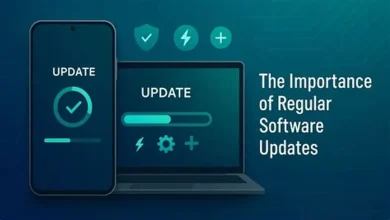
Software updates are not about getting new features. They help keep your Chromebook safe and running well. They can even make your computer faster. Work better with websites and apps. For Chromebooks, which use a lot of services and web apps it’s really important to stay updated.
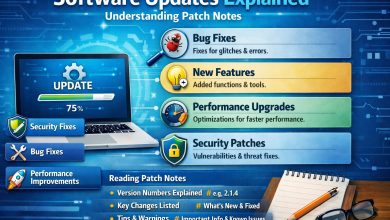
Google is always making updates to ChromeOS, the operating system that runs on Chromebooks. These updates usually include:
* Security patches to protect against cyber threats
* Bug fixes to make your computer more stable
* Performance upgrades to make your computer faster
* New tools and features to help you be productive
How Chromebook Updates Work
Chromebooks are designed to be easy to use including how they handle updates. Here’s how it works:
* Downloads: When theres an update ChromeOS downloads it in the background while you use your computer.
* No Interruptions: You don’t have to stop what you’re doing to install updates. You can just keep using your computer.
* Quick Restart: Once the update is ready you just need to restart your computer to use it. This usually only takes a minute.
* Frequent Releases: ChromeOS gets updates every 4-6 weeks so you always have the security and performance updates.

Key Benefits of Regular Updates
1. Improved Security
Regular updates help keep your Chromebook safe from malware and other online threats. Google is always looking out for threats. Sending out updates to fix them.
2. Better Performance
Updates can make your computer faster and more responsive. Whether its startup times or smoother browsing keeping your Chromebook updated ensures it runs well.
3. Access to New Features
Updates can add features to your Chromebook like interfaces or better voice dictation. These features can help you be more productive and happy with your computer.
4. Enhanced Compatibility
Updates help your Chromebook work well with websites and extensions so you don’t have to deal with bugs or display issues.
Checking for Updates Manually
While Chromebooks usually handle updates automatically you can check for updates manually if you want to:
* Go to Settings > About ChromeOS > Check for updates
This can be helpful if you’re having trouble with your computer or want to make sure you have the update before starting a project.
Final Thoughts
In a world where online threats and technology are always changing regular software updates are the way to keep your Chromebook safe. Googles automatic update system makes it easy. It’s an idea to know how it works so you can stay informed and, in control.
By keeping your Chromebook updated you’re not just making it run better. You’re making sure you have a computing experience every time you turn it on.